

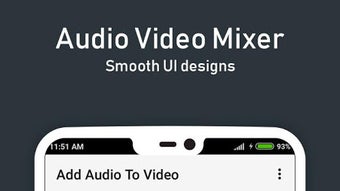
Description
Download Add Audio to Video APK – Audio Video Mixer, Music Editor, Video Creator
Overview
The Add Audio to Video APK is a free Android application developed by Video Liker, designed for users interested in creating and editing music videos. The software enables users to combine audio tracks with video content, offering tools for mixing, trimming, and sharing original compositions. It is particularly suited for musicians, DJs, artists, and hobbyists who want to enhance their video projects with custom soundtracks or remix existing content.
The app supports basic multimedia editing tasks such as adding background music, adjusting audio levels, and cutting video segments. It is ideal for social media creators, independent artists, and music enthusiasts who wish to produce personalized video content without requiring advanced technical skills. Real-world use cases include creating music video remixes, enhancing vlogs with original soundtracks, or preparing promotional clips for performances.
While the developer did not provide additional details about the company’s background or history, the app’s focus on accessibility and simplicity suggests an intent to serve a broad audience of creative users. The software is tailored for mobile environments, emphasizing intuitive touch-based interactions for editing audio and video on Android devices.
Key Features & Capabilities
- Audio-Video Synchronization – Users can overlay audio tracks onto video clips, enabling seamless integration for music videos or visual storytelling.
- Simple Audio Mixing – Allows blending multiple audio sources with basic volume controls for balanced playback.
- Video Trimming and Cutting – Offers tools to shorten or split video clips, helping users focus on specific moments.
- One-Tap Sharing – Facilitates quick export and sharing of edited content directly to social media or messaging apps.
- User-Friendly Interface – Designed for beginners with minimal learning curve, using touch gestures for common editing actions.
These features support practical workflows such as creating short-form music videos for platforms like Instagram Reels or TikTok, remixing personal footage with favorite songs, or producing content for live performances. The app’s emphasis on ease of use makes it accessible even to those without prior editing experience.
User Interface, Workflow & Performance
The user interface of Add Audio to Video APK is structured around a clean, touch-optimized layout, prioritizing accessibility on mobile screens. Navigation is based on intuitive gestures, with main functions such as importing media, adjusting audio, and exporting the final video clearly labeled and accessible from the home screen.
Workflow efficiency is enhanced through a streamlined process: users select a video, add an audio file, adjust timing and volume, then export. The app minimizes steps, reducing the time required to complete edits. However, the developer did not specify resource usage details, so exact performance behavior in terms of CPU or RAM consumption remains unknown.
General observations suggest stable operation under normal usage conditions, but performance may vary depending on device hardware and file size. No reports of crashes or freezes were included in the provided information. Stability during long editing sessions or with high-resolution media was not specified.
Compatibility & System Requirements
Add Audio to Video APK is designed for Android operating systems. The application is available as an APK file, indicating it is distributed outside official app stores. The version and exact file size were not provided in the input.
Compatibility information is limited to the platform, with no details on minimum Android version, screen resolution, or hardware specifications. The developer did not list specific system requirements, so users should ensure their device supports APK installations and has sufficient storage for media files.
Exact performance details were not specified. Users should expect standard behavior for mobile video editing apps, but actual performance may depend on device capabilities and file complexity.
Pros and Cons
Pros
- Free to download and use, with no in-app purchase prompts mentioned.
- Simple interface ideal for beginners and casual creators.
- Supports core functions: audio addition, trimming, and sharing.
- Designed for mobile use, enabling on-the-go editing.
- Allows creative expression without requiring prior experience.
Cons
- APK distribution may raise security concerns for some users.
- Limited feature set compared to desktop video editing tools.
- No information on advanced editing capabilities such as transitions or effects.
- Performance details and system requirements were not disclosed.
- May not support all audio or video formats.
FAQ Section
Is Add Audio to Video APK safe to install?
The app is distributed as an APK file, which means it is not available through official app stores. Users should ensure the source is trustworthy before installation. While the developer is identified as Video Liker, no third-party verification or security audits were provided.
Can I use this app offline?
Yes, the app does not require an internet connection to perform basic editing tasks such as adding audio, trimming video, or exporting content. However, sharing to online platforms may require connectivity.
Does the app support high-resolution videos?
Specific resolution support was not mentioned. The app may handle standard HD formats, but compatibility with 4K or higher resolutions depends on device capabilities and file size.
How often are updates released?
Update frequency was not specified. Users should check the developer’s website or distribution channel for the latest version.
Is there a license or subscription required?
The software is described as free, with no indication of subscription models or paid features. However, the possibility of in-app purchases cannot be ruled out without further information.
Final Thoughts + CTA
Add Audio to Video APK presents a straightforward solution for Android users seeking to combine audio and video content with minimal effort. Its focus on simplicity, accessibility, and core editing functions makes it a suitable choice for hobbyists, content creators, and aspiring musicians. While it lacks advanced features and detailed technical information, its user-friendly design and free availability offer strong value for casual use.
For those looking to create music videos, remix clips, or enhance personal footage with custom audio, this app delivers a functional experience. It’s particularly well-suited for mobile-first workflows and social media content creation.
Download Add Audio to Video APK now and start crafting your own audio-visual projects today.
Guides & Tutorials for Add Audio to Video APK
How to install Add Audio to Video APK
- Click the Preview / Download button above.
- Once redirected, accept the terms and click Install.
- Wait for the Add Audio to Video APK download to finish on your device.
How to use Add Audio to Video APK
This software is primarily used for its core features described above. Open the app after installation to explore its capabilities.
User Reviews for Add Audio to Video APK 0
No reviews found





